Managing berths, halls and rentals
From the berth in the marina to the hall you rent out by the hour: you see who has what, what is free and who is waiting.
Why this belongs in your member records
A sailing club rents out berths, a tennis club lockers and a hall, an allotment association plots. Usually that lives in a separate spreadsheet, apart from the members. When someone leaves or moves, the berth fee is wrong and nobody knows the place is free.
In Ledenboek the places belong to the same members as the rest of your records. The floor plan shows who is where, the waiting list moves on when something frees up, and guests book online themselves. What a place costs follows from its rate, and the invoice comes from the same records.
How it works
-
1
Start from a template
Under Settings there is a template for marinas, sports clubs, allotments, riding schools, bands and homeowners associations. It sets up the types of places with their rates, and the objects that go with them, such as boats or horses. Then you add your own places with their size.
-
2
Assign places and put them on the map
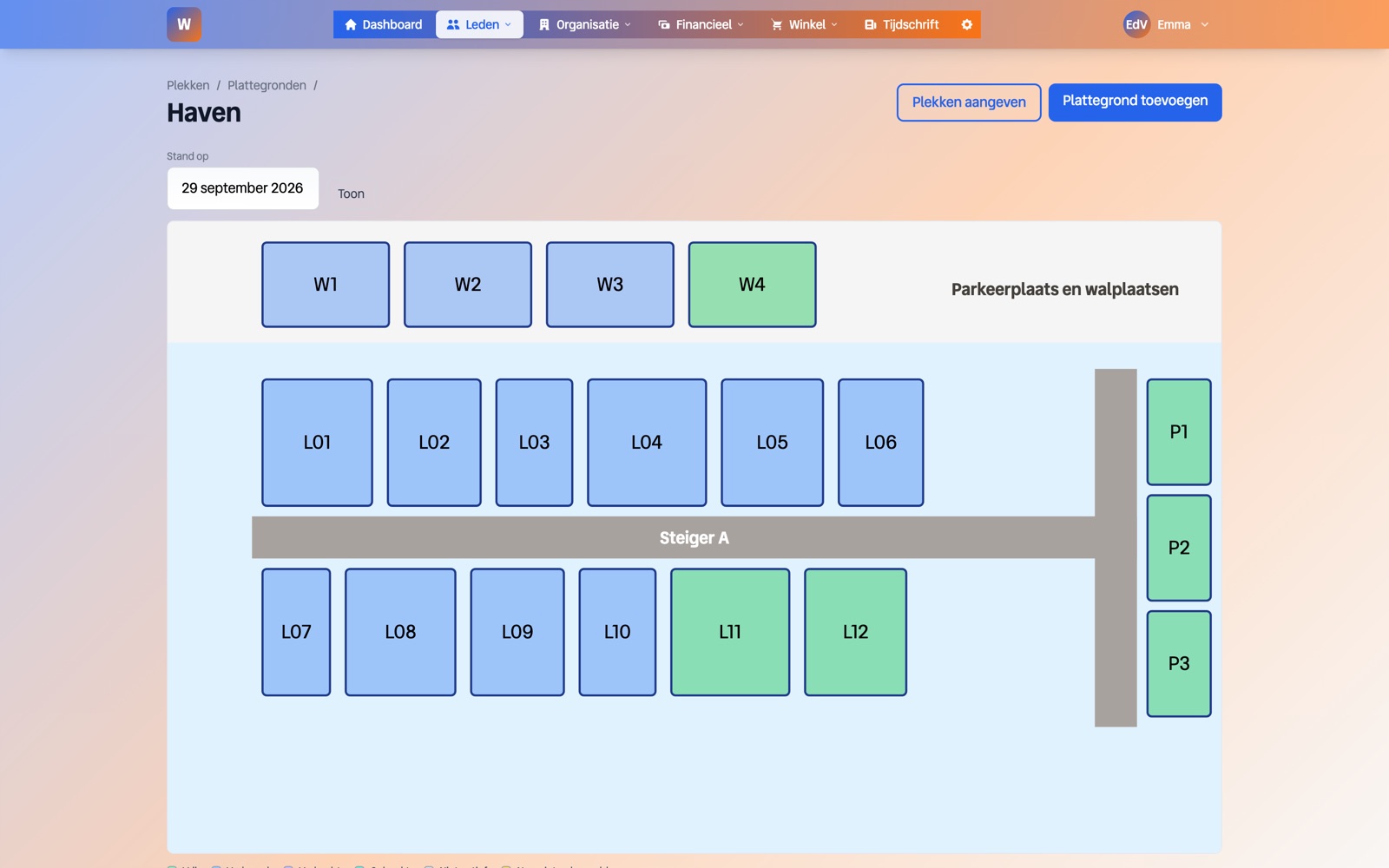
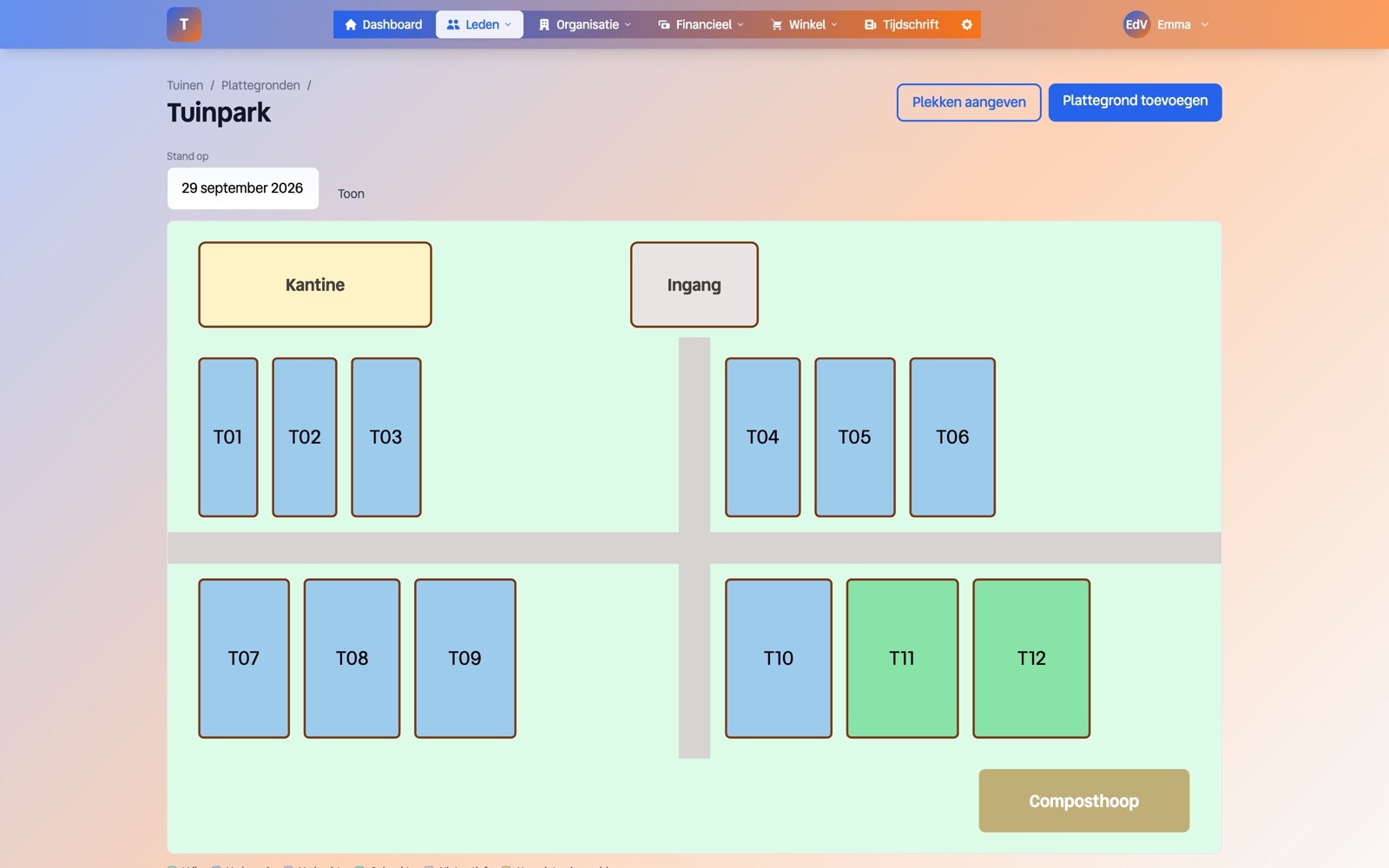
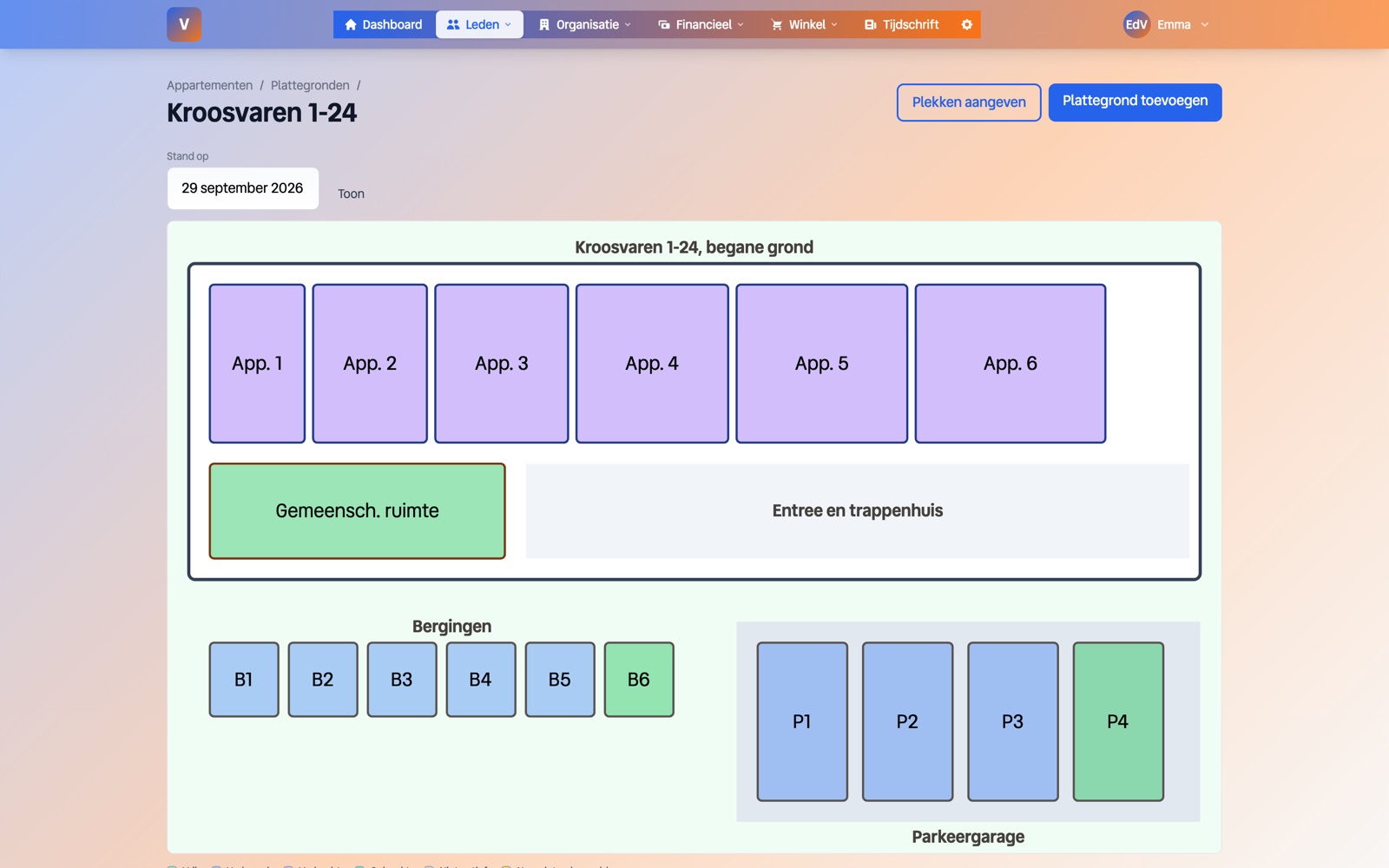
A place is rented, bought or booked from a date. Upload your floor plan as an SVG and Ledenboek links its shapes to your places by name. The map shows who is where, on any date you choose.
-
3
Let guests and members book
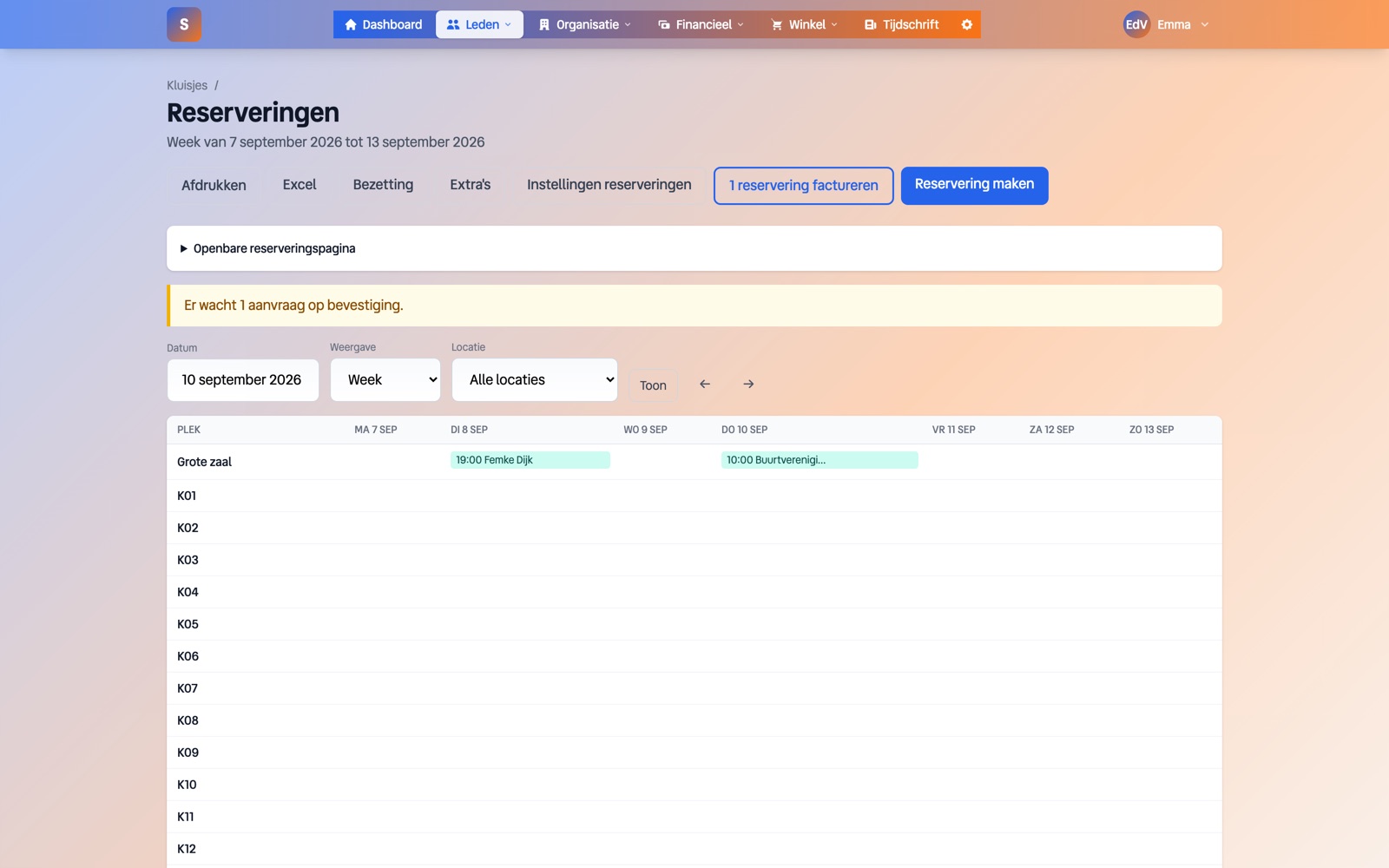
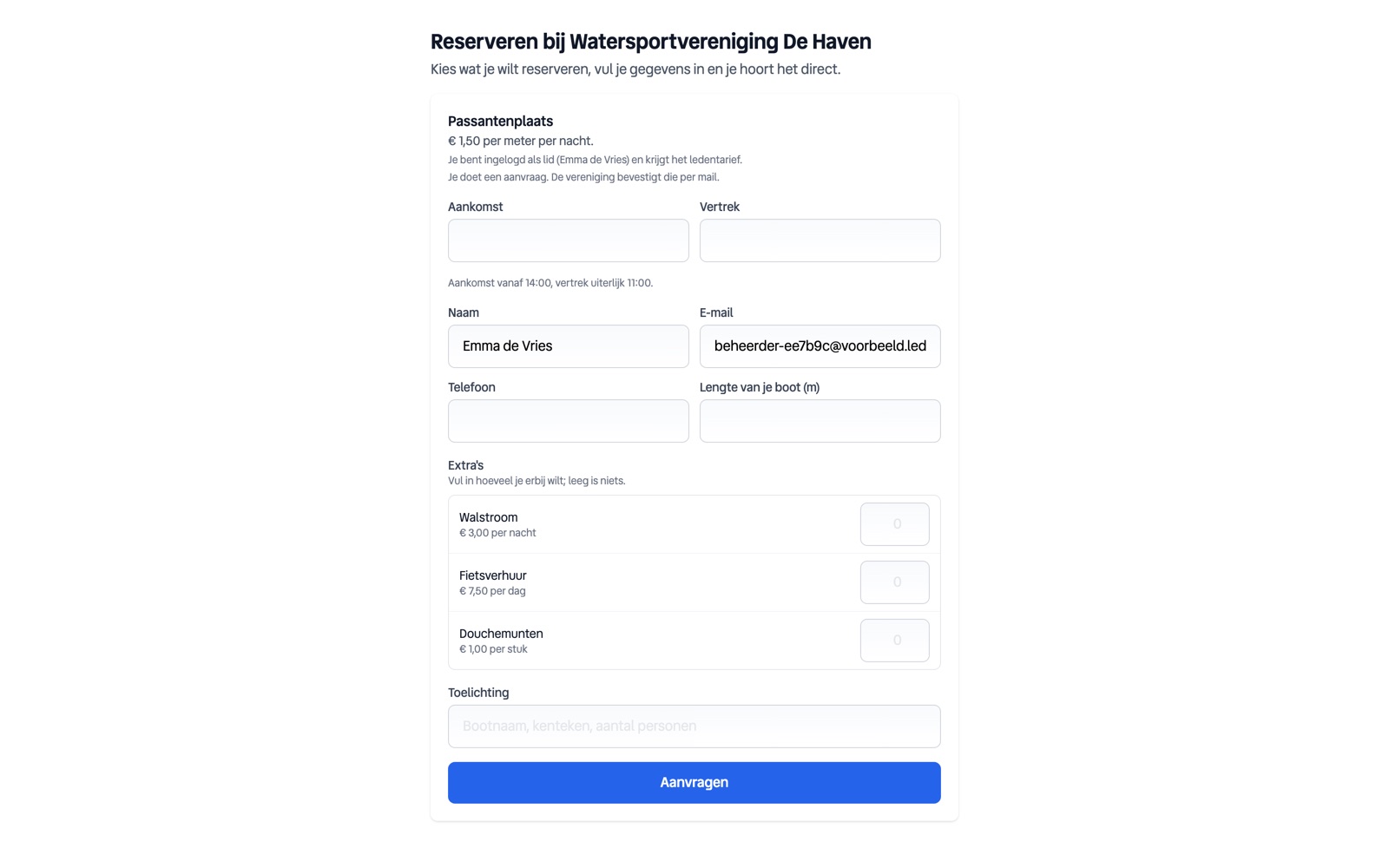
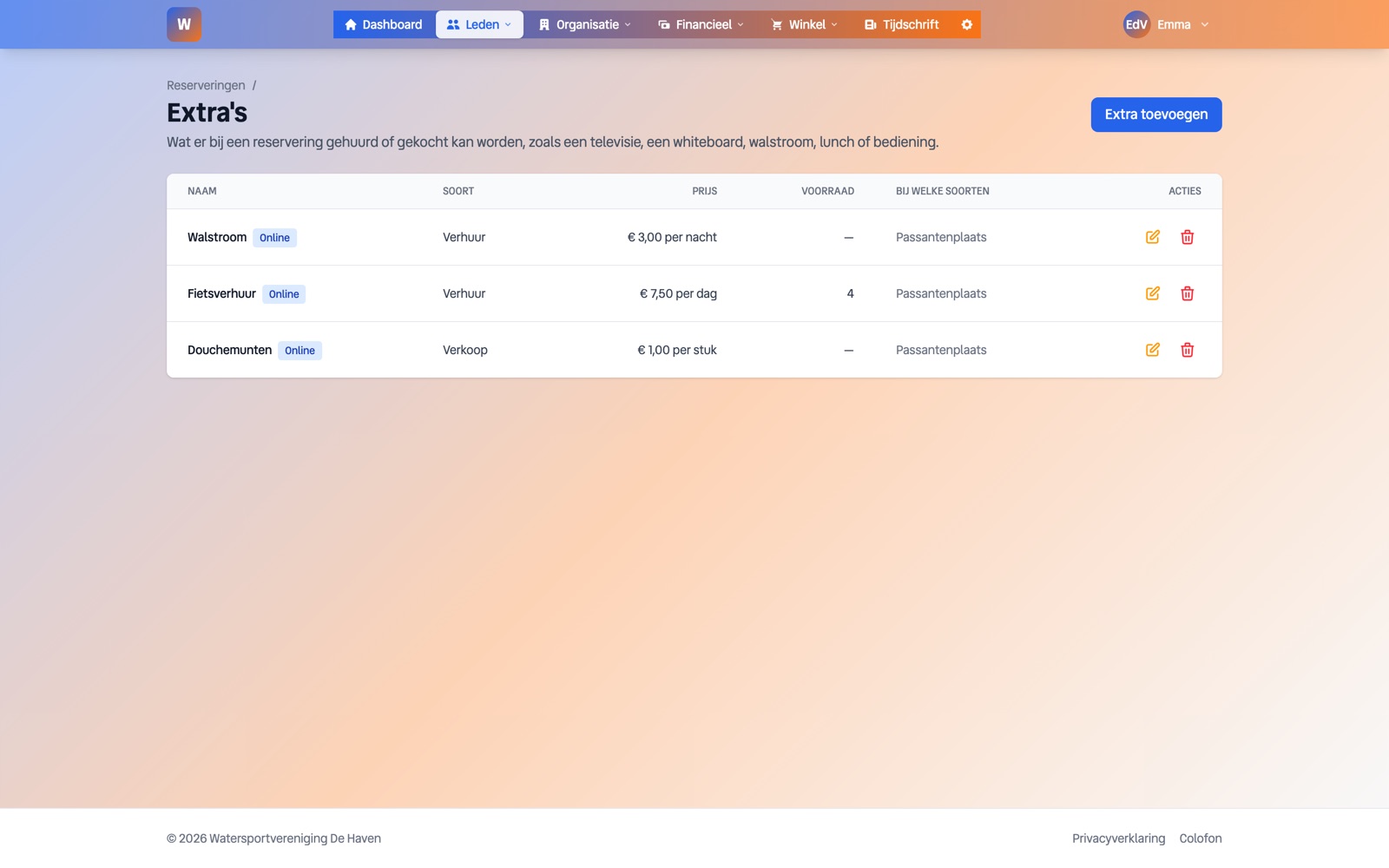
Visitor berths, halls or a common room can be opened for bookings. A guest sends a request, or books and pays right away. Extras such as shore power, a projector or lunch are added, with a stock so no more goes out than you have. A fixed evening each week is created as a series in one go.
-
4
Keep track of who is waiting and how full it is
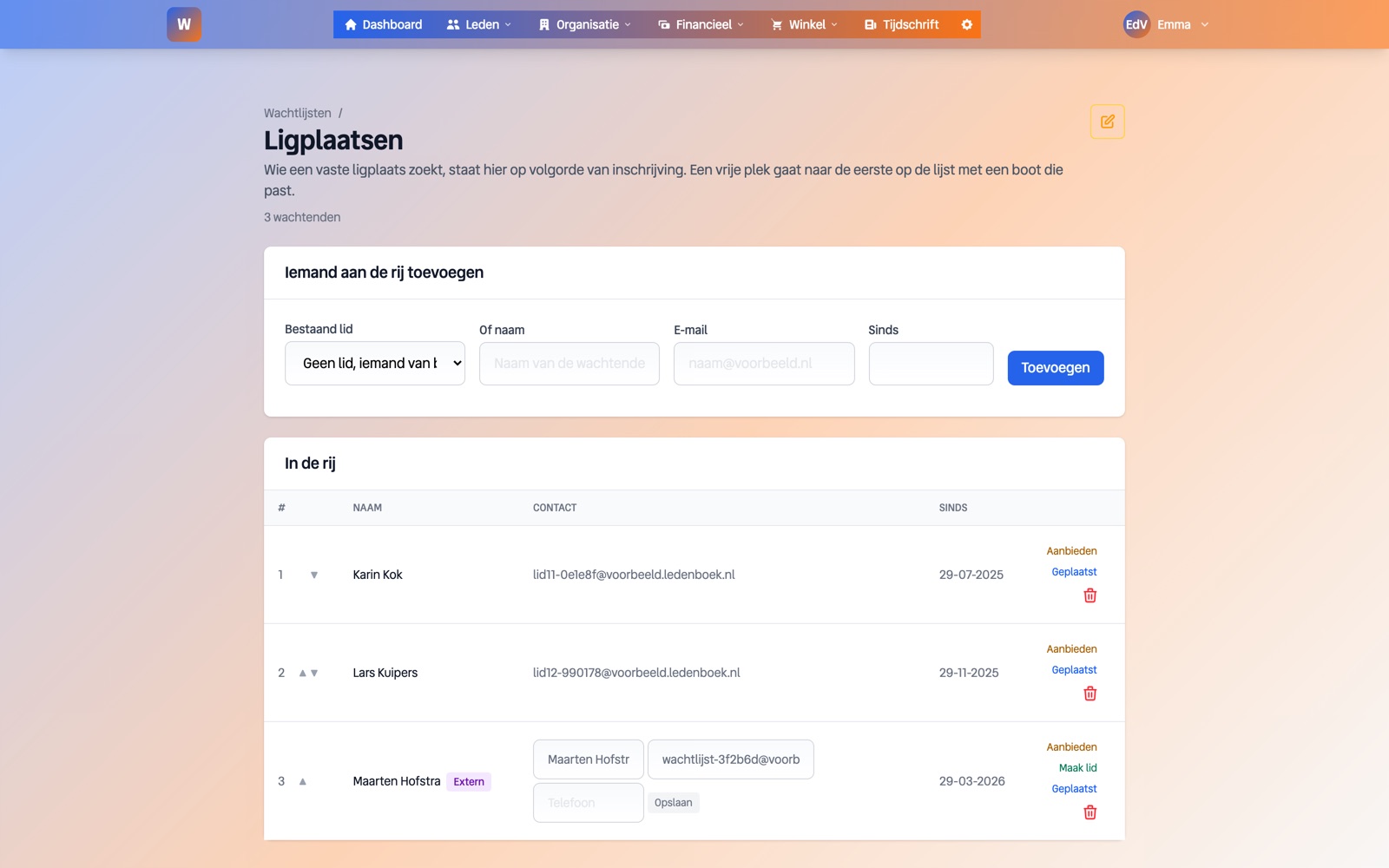
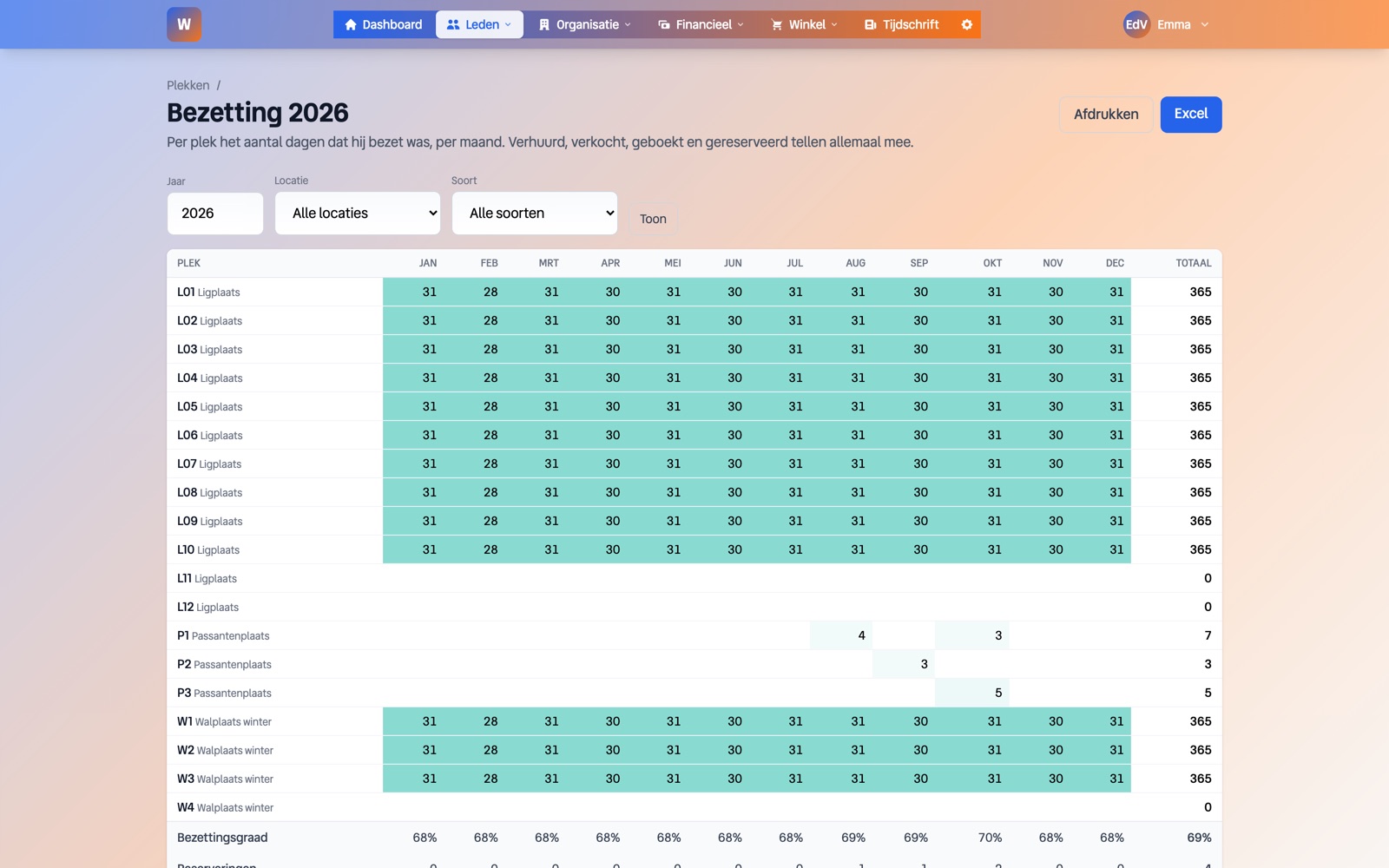
Anyone looking for a place signs up on the waiting list, also through a form on your own website. The occupancy report shows per place and per month how full it was, and work hours show who has done their shifts.
In pictures
What it does not do
- •Ledenboek does not draw a floor plan for you. You upload an SVG or an image and mark the shapes.
- •Paying online for a booking goes through your own Mollie connection. Without it a guest can request, but not pay right away.
- •There is no link with a barrier, a door lock or a card system.
Frequently asked questions
Does this also work for a sports club without a marina?
Yes. Lockers, halls, courts or a clubhouse work the same way. The sports club template sets up lockers and bar shifts.
Can members get a different rate from guests?
Yes. Per type of place you set a guest rate and a member rate. A member who signs in sees and pays the member rate.
Can I book a fixed evening each week?
Yes. You create a booking and repeat it every week, every two weeks or every month until an end date. Dates already taken are skipped and you see which ones.
How does the berth fee end up on the invoice?
The rate follows from the type of place, for example per metre of boat length or per square metre of plot. Bookings are invoiced from the calendar, for members or for everyone.